Camfrog Video Chat Changes
Version 5.0.111 (04/28/08)
- - New super quality high-resolution video for chat rooms and point-to-point chat! Room owners
can set their rooms to Classic video size, the new larger Recommended video, or Super high resolution video.
- - Camfrog now comes with English, Dutch, French, German, Italian, Portuguese, Russian, Spanish,
Thai, and Turkish language packs.
- - Additional Language Pack support is also added, so we hope you will add your own language if
it's not available yet.
- - Give Virtual Gifts to your buddies, friends and mysterious strangers you want to get attention of.
- - Lots of interface and usability improvements overall.
Version 4.1.82 (02/07/08)
- - Lurkers users group added to the video chat rooms list. Lurkers are users with no webcams or with paused video.
- - The Camfrog Pro webcam organizer now support different organization modes like horizontal or vertical and multiple monitor configurations.
- - Miscellaneous bug fixes and enhancements.
Version 4.0.61 (12/18/07)
- - Video windows made easier to read user nicknames due to user requests.
- - Miscellaneous bug fixes and enhancements.
Version 4.0 (11/30/07)
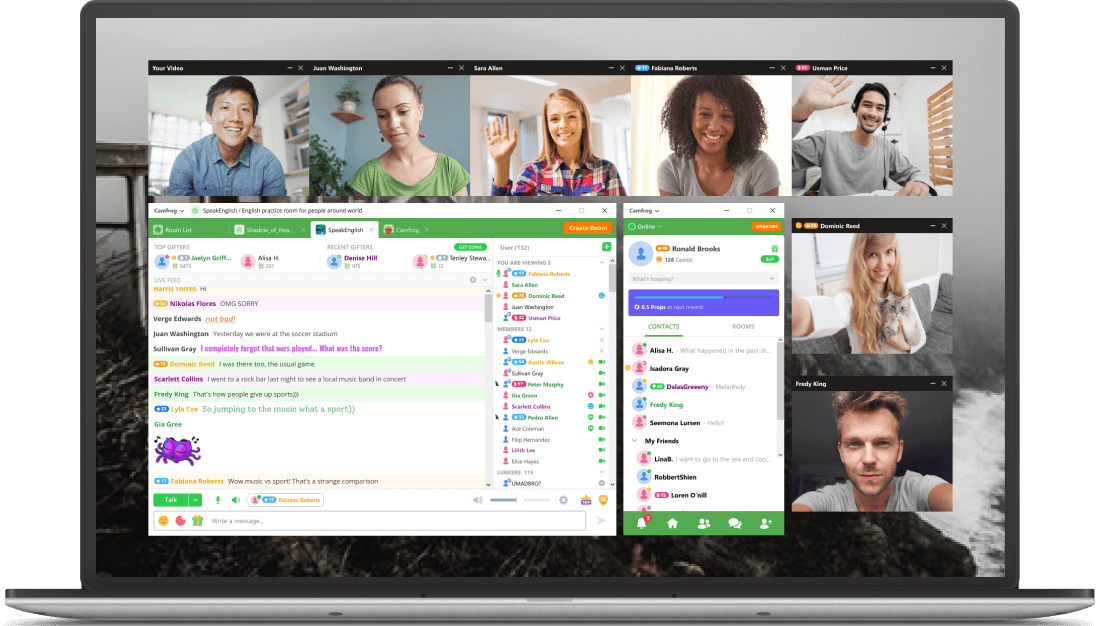
- - New easier to use interface for Camfrog free and Pro versions. The free version of
Camfrog now has video embedded in the chat window.
- - Pro users now have their webcam windows auto-organized for efficient viewing. To
deactivate this feature go to settings/video.
- - Rename Contacts. Right click a nickname in your contact list to rename them to
something that's easier to remember.
- - When connecting one on one you can choose to use video only, or audio only, or both
simultaneously.
- - Tabbed IM. Keep all instant messages in one tabbed IM window. To activate this
feature go to your settings/general and click "use tabbed IM windows".
- - Dynamic Video/Audio source changing. Change your Video/Audio source while using your
video without having to disconnect from a room or p2p chat session.
- - Right click your contact list to use large icons.
Version 3.94 (08/13/07)
- - Go to your status menu and choose "Custom" to make a custom status.
- - Karma is removed and replaced with "Bad Feedback".
If someone is sending an inappropriate message block their IM by pressing the "Block"
button and press "OK" to give them bad feedback.
If a user has a lot of bad feedback they cannot message you for awhile.
- - Miscellaneous upgrades and enhancements.
Version 3.93 (07/06/07)
- - Multiple stability enhancements.
- - Get free and cheap phone calls with Jajah.com.
Version 3.92 (05/18/07)
- - Multiple stability enhancements.
- - User interface compatibility updates.
Version 3.91 (04/06/07)
- - Multimedia upgraded to maximize compatibility with all systems.
- - Some usability upgrades.
- - Parental controls now turned on by default for users 13-15 years of age.
- - Users 13-15 do not have user profiles.
Version 3.9 (03/05/07)
- - Pando file exchange integrated. Sharing files is now much easier.
- - Go to your settings and choose "privacy" to see controls for Camfrog’s
new social feature. To make your profile private or to block strangers from seeing your friends
be sure and activate these settings before the social features become available next week.
- - Right click your local video window and choose "Camfrog Eyes" to see a
fun video effect powered by Manycam.com.
- - Camfrog now supports Unicode. To use this functionality make sure you are talking
with another 3.9 user and you are in a room with the new Camfrog Server version.
- - Security links enabled in instant messages and chat rooms. If you click a link
inside Camfrog you may see a warning.
- - Miscellaneous multimedia updates.
- - Miscellaneous stability and security enhancements.
Version 3.81 (12/20/06)
- - New parental controls and internal chat room filter.
- - "Connect to Chat Room" shortcut is changed from Ctrl+C to Ctrl+R.
- - Some users have privacy status on by default when they first use Camfrog.
- - When signing on and off your Camfrog status is now remembered.
- - Now you can display the last (10-20) messages with a person in your IM window.
This can be turned on in your settings but it is off by default.
This setting is under "Privacy and Safety".
- - You can now clear your room history separate from your call history in settings.
- - Miscellaneous stability enhancements.
Version 3.80 (11/09/06)
- - Simultaneous one-on-one and chat room videoconferencing.
Now you can connect
one-on-one while in a chat room.
- - Sort females and males separately in room user lists.
Go to the "view"
menu in the chat room window and choose "sorting" to try it.
- - Animated emoticons. These can be disabled in the settings window.
- - Video loads faster when viewing multiple webcams.
- - Camcorders should now work with Camfrog.
- - Various user interface, stability, and security upgrades.
Version 3.72 (07/03/06)
- - New multimedia for faster video and higher quality audio.
- - No more "ghost" video images caused by network problems.
- - Faster disconnects from video chat rooms.
- - Video loads faster when viewing multiple webcams.
Version 3.7 (04/25/06)
- - Video Chat Rooms now listed in different geographic zones.
- - Click the nickname of the user speaking on microphone to view their webcam.
- - Multiple stability and efficiency updates.
- - Internal Video Chat Room List user interface enhancements.
- - New instant messages no longer continually flash in the toolbar.
Version 3.6 (12/21/05)
- - The Camfrog list of contacts now loads faster.
- - The default video size for one on one connections now has a smaller default resolution for higher
quality video.
- - The "join" Camfrog room at startup window is now removed for new users, but a suggestion appears
in their contact list.
- - Large video windows are for Pro users only.
Version 3.5 (12/12/05)
- - Large one-on-one connection video windows for high-quality video chat. Go to settings/video to
choose what resolution you broadcast for one-on-one connections.
- - The contact list now supports groups. Right click the contact list to add/remove groups and drag
and drop users into different groups.
- - Go to your contact list "view" menu to avoid viewing offline users in your contact list.
- - The "IM Catcher" feature was moved under the "view" menu in the contact list for Pro users.
- - The user list freezes during mouse-over for easy clicking. To stop the user list from freezing
move your mouse away from the user list.
- - Pro users have bold nicknames in rooms.
- - Easily resize a video window by clicking and dragging the bottom right corner.
- - New audio and video enhancements. Go to settings/video or settings/audio to view. Users can
now choose an audio playback device.
- - Join and leave notifications and sounds are off by default for all new users.
- - Go to the view menu in the chat room window to sort the user list in order of room visit instead
of alphabetically.
- - Advertisement banners removed for free users and replaced with removable notifications.
Go to settings/privacy and safety and uncheck "show information bar" to avoid seeing these
notifications.
- - The chat window shows the current number of users in a room at the bottom left.
- - Usability changes for the internal video chat room list so it's easier to use and new contextual
advertisements.
- - Camfrog now comes with free Desktop Weather software from The Weather Channel as new special offer
for Camfrog users only. Desktop Weather allows you to check your local weather from your desktop.
Uncheck during installation to opt-out. This software contains no spyware/adware.
- - Free users can now change status and view large video windows.
- - Dozens of enhancements were made to make Camfrog more efficient.
- - New users see a link that links to a guide to using the privacy feature after receiving their first
instant message.
Version 3.4 (08/23/05)
- - Pro users can go to the "actions" menu to locate what room a user is in.
- - New higher quality and more colorful video!
- - GUI enhancements.
Version 3.2 (03/23/05)
- - With version 3.2 users can now change their Camfrog status to "privacy"
to avoid instant messages from other users not on their contact list.
Version 3.1 (02/10/05)
- - Camfrog 3.1 now allows users to send files, send photo snapshots, plus many new GUI
enhancements.
Version 2.5 (02/24/04)
- - Camfrog now works with most webcams and microphones.
- - Usability enhancements.
- - GUI enhancements.
- - Bug fixes.
Version 2.3 Beta (12/25/03)
- - Camfrog now works behind all firewall, routers, and wireless networks.
- - A new codec allows much higher video and audio quality.
- - Usability changes and enhancements.
- - A new auto-connect feature asks you to join the Camfrog video chat room on startup.
- - Some reported bugs have been fixed.
Version 1.2.1 (10/31/03)
- - NAT traversal enhancement (Works better behind a router or wireless network).
- - Microsoft Windows XP built-in firewall support.
- - Usability changes and enhancements.
- - Some reported bugs have been fixed.
Version 1.1.0 (10/09/03)
- - Chat room connect/reconnect bug fixed. Can cause a access violation in Camfrog Client.
- - Added automatically "show wizard on first startup".
- - Added option "auto start on startup" into the installer (checked by default).
- - Auto-reconnect to the selected chat room (clicking on the links on the web) without a "You are already connected" message.
- - Some misspellings fixed.
- - Male/female icon for unknown users bug fixed.
- - Some installer changes.
- - Talking mode keyboard input focus lost fixed.
- - Talking indication added.
- - Click name to view under "Hidden users" added.
- - Chat delay in video chat room removed.
- - Added new IM window appearance logic.
- - Ignore list parsing error fixed.
Version 1.0.1 (10/01/03)
|